Scheduling links that respect your calendar and your energy.
Slotwise gives you a personal booking page. Guests see only the times you're free on Google Calendar, ranked so your best hours come first. When someone books, the meeting lands on your calendar with a Google Meet link.
Everything you need to get booked, nothing you don't.
One link for every kind of meeting, with rules that protect the time you need for real work.
Free/busy only
Slotwise asks Google whether you're free. It never shows guests your event titles or details.
Smart ranking
Focus blocks, buffers, minimum notice and daily limits keep your days sane, and your best hours come first.
Google Meet built in
Every booking gets a Meet link and an invitation sent from your own calendar.
Group polls
Offer a few good times and let a group vote on what works for everyone.
Time zones handled
Guests see times in their own time zone, so nobody does the math.
Your data, your call
Disconnect Google or delete your account at any time from the dashboard.
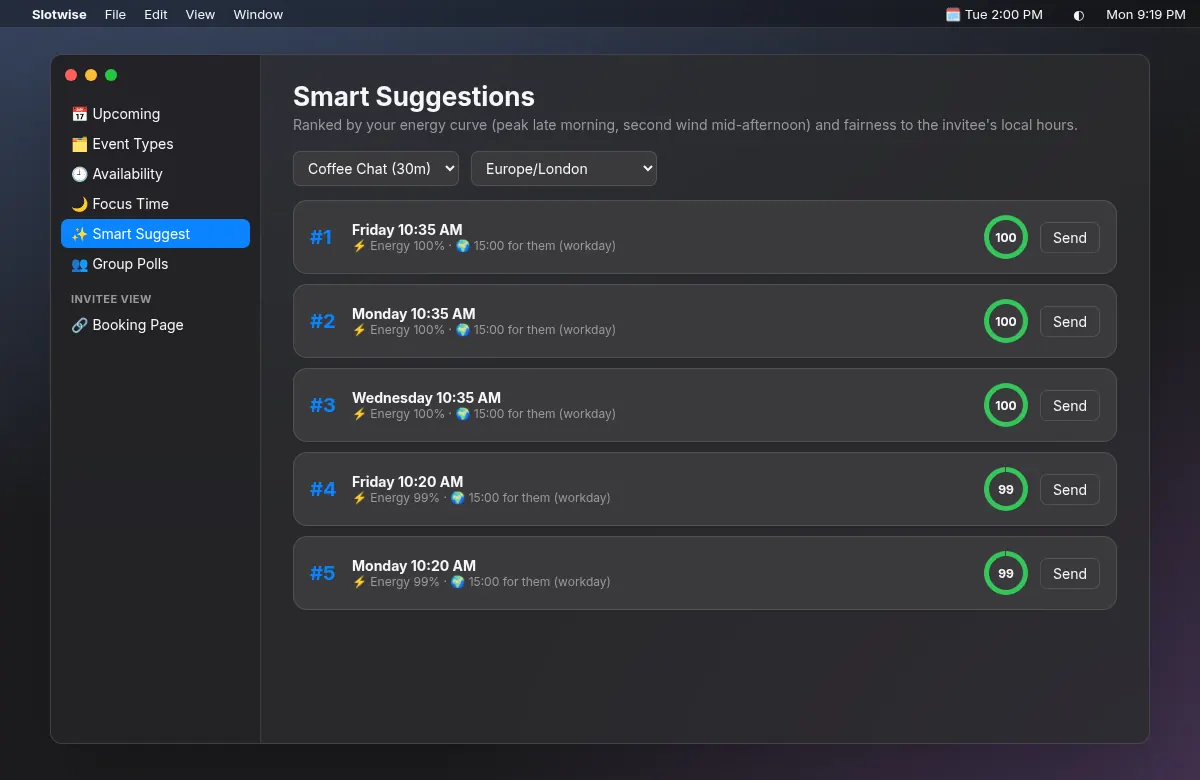
The best times, ranked for you.
Slotwise scores each open slot against your preferred hours and your guest's local working day, then puts the strongest options at the top.
- Send a ranked time with one click
- Respects your guest's working hours
- Works with every event type
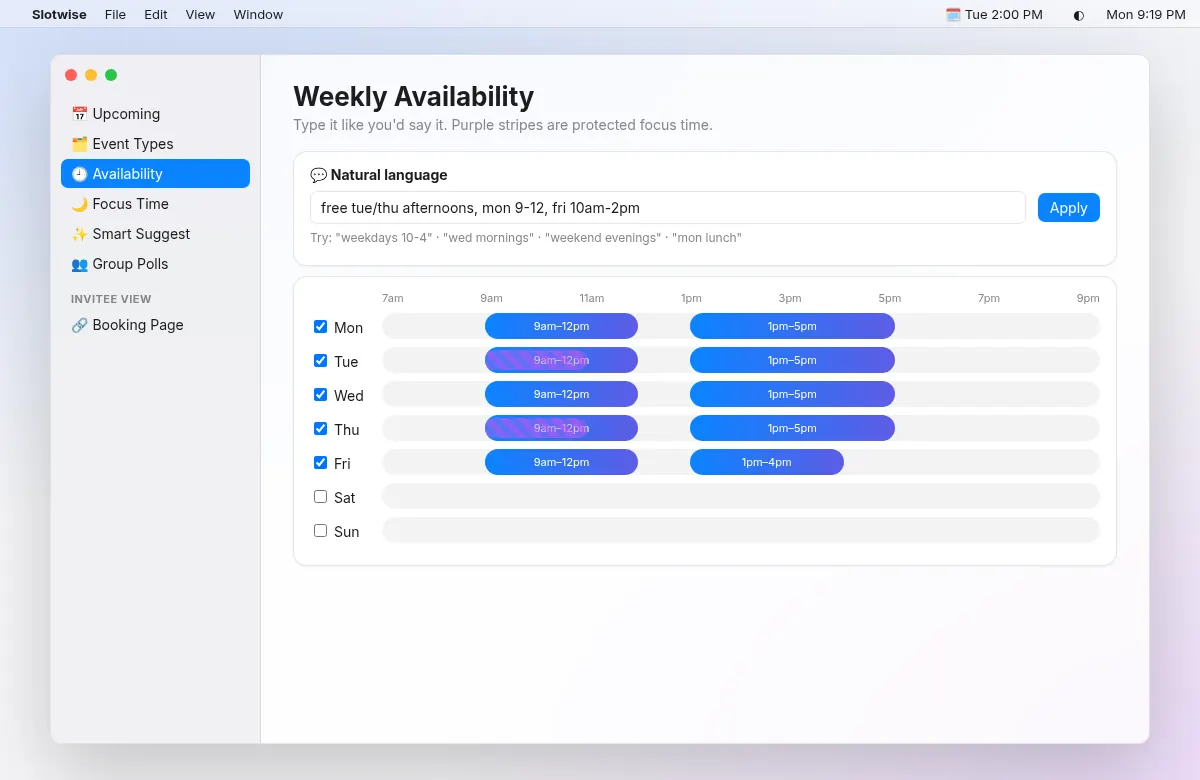
Set your hours the way you'd say them.
Type something like "weekdays 9-12 and 1-5" and Slotwise fills in your weekly hours. Add focus blocks that are never bookable.
- Weekly hours per day
- Protected focus blocks
- Buffers, minimum notice and daily limits
Up and running in minutes.
Sign in with Google
Connect your Google account and choose which calendars count as busy.
Set your availability
Pick your hours, event types, focus blocks and buffers. Claim your booking link.
Share your link
Guests pick an open time. The meeting appears on your calendar with a Meet link.
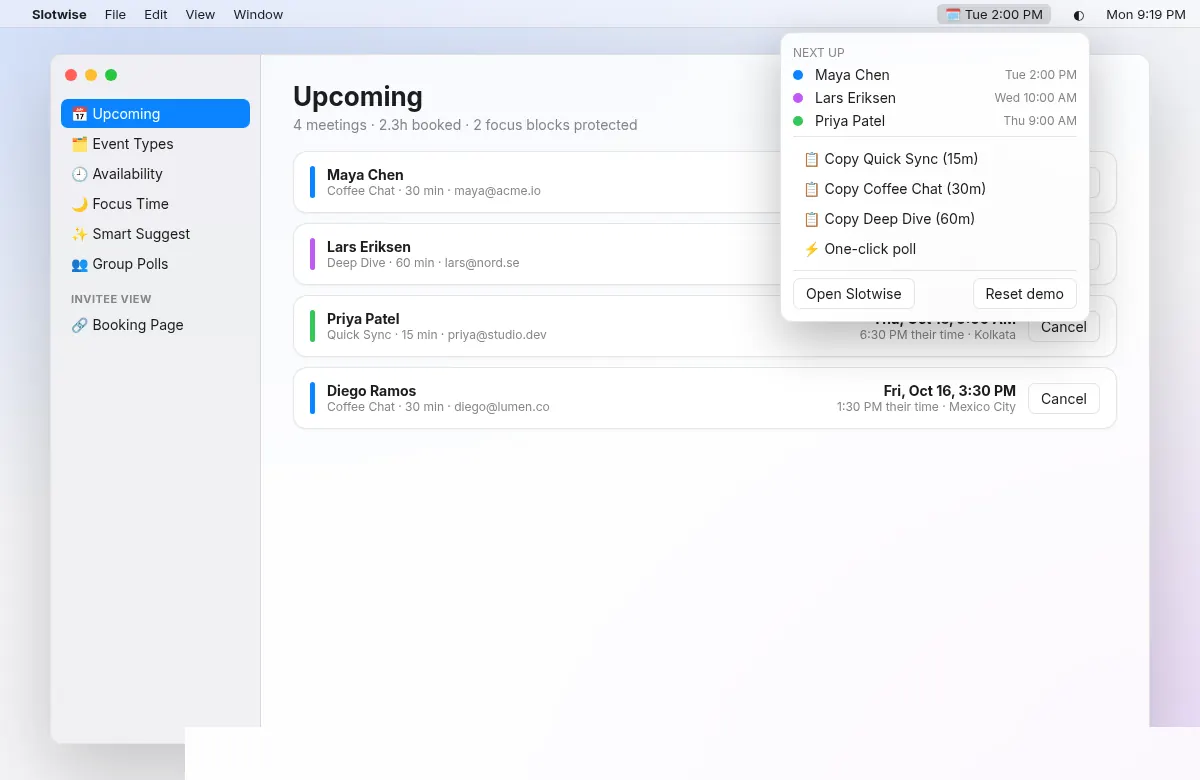
Your schedule, one click away in the menu bar.
The Mac app keeps your upcoming meetings, booking links and smart suggestions in the menu bar. It signs in with a short code you approve in the dashboard, so your Google password never touches the app.
- A redesigned native Mac app: sidebar navigation, Today dashboard, light and dark mode, VoiceOver labels and full keyboard control
- Menu bar popover with today's timeline, a next-meeting countdown and one-click Join Meet
- Quick Share (⌃⌥⌘S from anywhere): pick 3 open times and copy them as a friendly message
- ⌘K command palette for every action and booking
- Drag-to-edit weekly hours and focus blocks, plus natural-language input
- Event types with descriptions, locations (Meet, phone, in person) and custom questions
- Notifications for new bookings, cancellations and meeting reminders with a Join button
- Insights: bookings per week, popular times, cancellation and no-show rates
- Works offline with cached data, launches at login and updates itself automatically
How Slotwise uses Google data
When you sign in, Slotwise asks for your basic profile (openid, email, profile) and three limited Google Calendar permissions: calendar.freebusy to check when you're free (busy times only, never event details), calendar.calendarlist.readonly to list your calendars so you can pick which ones count, and calendar.events to create and delete only the meetings people book through your page. Slotwise doesn't sell your data or use it for ads, and it doesn't keep copies of your calendar events. Read the privacy policy for the details.
Questions, answered.
Can guests see what is on my calendar?
No. Slotwise only asks Google whether you are free or busy at a given time. Guests see open slots, never event titles, attendees or details.
Which calendars does Slotwise check?
You choose. Slotwise lists your Google calendars and you pick which ones count as busy and which calendar new bookings are added to.
What happens when someone books?
Slotwise creates the event on your calendar with a Google Meet link and sends the guest a calendar invitation from your own Google account. Guests can cancel from their confirmation page.
How does Slotwise pick the best times?
Your weekly hours, focus blocks, buffers, minimum notice and daily meeting limits decide which times are bookable. Slotwise then ranks the open times so your preferred hours appear first.
Do I need the Mac app?
No. Everything works in the browser. The Mac app is an optional companion that puts your upcoming meetings and booking links in the menu bar.
How do I disconnect or delete my account?
From the dashboard you can disconnect Google or permanently delete your account and data at any time. You can also revoke access from your Google account permissions page.
Share your first booking link today.
Sign in with Google and set up your availability in a few minutes.